
Basepoint Code
Your codebase, worked on
around the clock.
Basepoint Code runs your coding agents locally and in the cloud. Give them a task and they open a branch, plan, write and test the code, then hand you a pull request. Projects, schedules and PRs, all in one place.
How it works
From task to merged pull request.
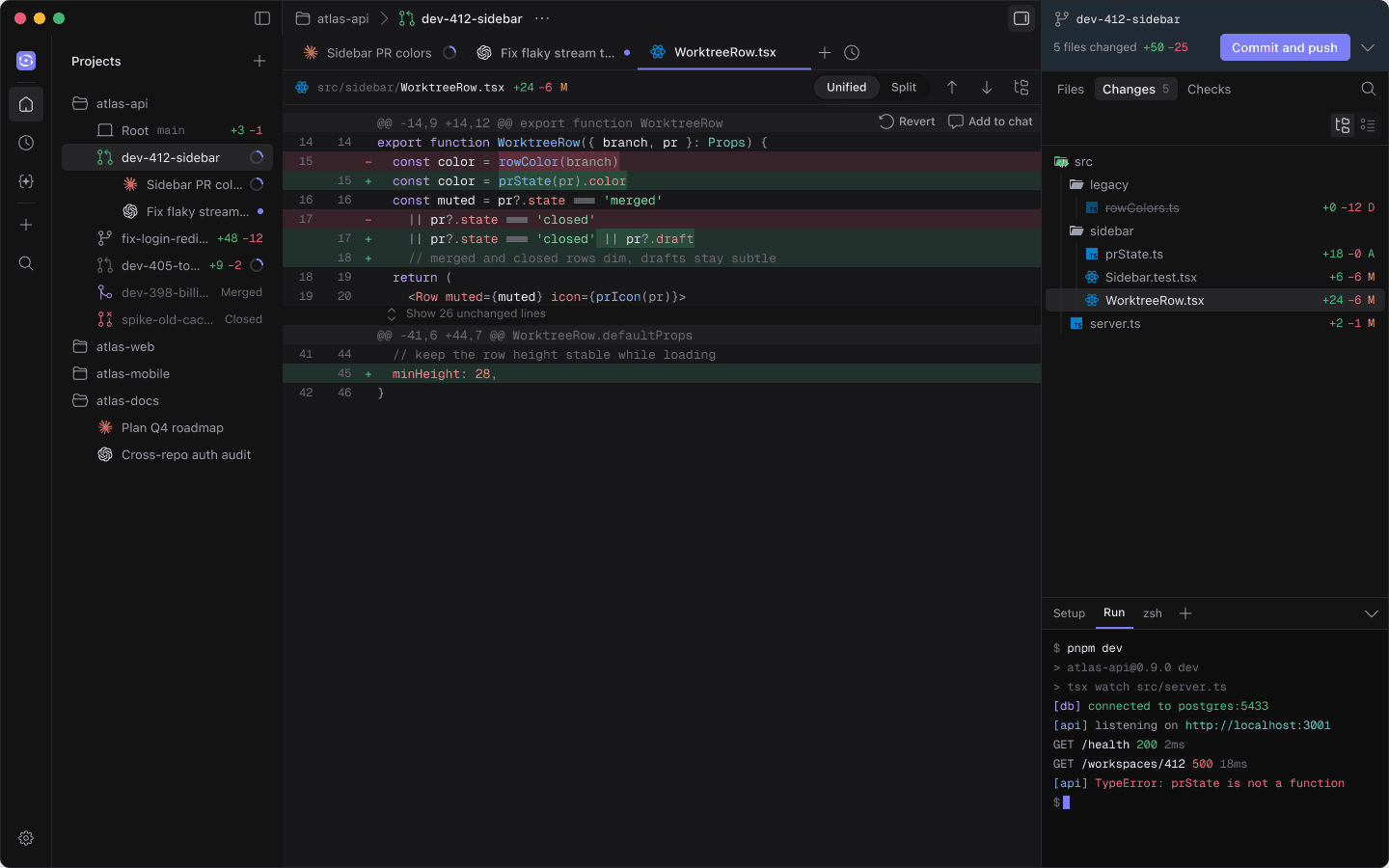
You describe the work. The agent does it in its own branch, shows you every change, and nothing reaches main without your review.
- Own branch per task
- Plan mode
- Live terminal
- Diff review
- Parallel agents
- Any model
Plan5 steps
 Opus 5.5
- 1Add a prState helper
- 2Color the branch icon by PR state
- 3Dim merged and closed rows
- 4Update the sidebar tests
- 5Run the full test suite
For bigger changes the agent proposes a plan first. Approve it, or keep planning with it.
Work that keeps going.
Agents run in parallel, in the cloud and on a schedule, so the backlog moves even when you step away.
 GPT-5.6Opus 5.5GPT-5.6
 Gemini 3.1 ProHaiku 4.5
Parallel agents
Split a task across several agents and follow each one in the same thread.
dev-412-sidebar
Running · 12m
nightly-deps
Running · 3m
fix-login-redirect
Waiting for review
dev-405-tokens
Running · 28m
spike-old-cache
Done · 1h
release-notes
Queued
api-types
Done · 2h
Keeps going in the cloud
Move a workspace to the cloud and it keeps working while you are offline.
Schedules
Run a prompt every night or every Friday: dependency updates, flaky test sweeps, release notes.
You stay in control.
Agents do the work; you decide what they can touch. Anything risky asks first, and your keys and setup stay with you.
$ git push origin dev-412-sidebar
Needs approvalPushes 3 commits so a pull request can be opened.
Approvals where they matter
Pushes, deletes and commands outside the workspace pause for a click. Approve once, or always allow a command you trust.

 sk-ant •••• 4f2aStored on your machine
Your keys or ours
Use Basepoint credits, or add your own API keys. Keys are stored on your machine only.
setup.sh
- 1pnpm install
- 2cp .env.example .env
- 3pnpm dev --port $PORT
- 4pnpm prisma migrate
repoSetup stays yours
Setup scripts, ports and env files stay on your machine, never in the repo.
Per-tool policies. Set edits, commands, pushes and deletes to auto, ask or off for each agent.
Isolated worktrees. Every task runs in its own branch and folder until you merge it.
A full trail. Every step, command and file change stays in the conversation.
Nothing merges alone. Pull requests wait for your review and your checks.
Recently shipped.
A new sidebar
Projects, schedules and agents are one click apart in the new icon rail.
09.27.26
Schedules with memory
A schedule can keep adding to one ongoing session instead of starting fresh each run.
09.26.26
Cloud sessions
Move a workspace to the cloud and it keeps working while you are offline.
09.26.26
Document editing
Send a Word or PDF file and get an edited copy back, with tracked changes.
09.24.26
Give Basepoint Code your
next ticket.
Point it at a repo and hand it something from your backlog.